
It was 2:00 AM, and an indie developer was trying to generate a hero image for a new productivity app. They had spent three hours in a Discord-based generator, burning through credits to get the lighting “just right.” When the perfect image finally emerged, it had one glaring flaw: the text on the laptop screen in the background was a garbled mess of pseudo-Cyrillic characters. To fix it, the developer had to download the file, open a separate browser tab for a localized editing tool, re-upload the image, and pray the inpainting brush didn’t destroy the textures they had spent hours refining.
This is the hidden tax of the modern AI creative process. We are currently living through a “Gold Rush” of raw model power, where benchmarks for parameters and tokens-per-second dominate the conversation. But for those actually building products, the bottleneck isn’t the model—it’s the friction of moving an asset from a raw generation to a refined, production-ready state.
The High Cost of the Generative ‘Hand-off’
The “hand-off” occurs whenever a creator is forced to move a file from one environment to another. In the early days of generative AI, this was an accepted part of the novelty. We were so impressed that a machine could draw a cat at all that we didn’t mind the seven-step process required to turn that cat into a transparent PNG for a website header.
Today, that novelty has worn thin. For an indie maker or a prompt-first creator, every context switch—moving from a chat interface to a web-based UI to a local photo editor—represents a leak in the productivity bucket. These aren’t just minor inconveniences; they are moments where creative momentum dies. When you have to export, convert, and re-import, you lose the “latent link” to the original prompt. You are no longer iterating; you are starting over with a static file.
The distinction between a “discovery” workflow and a “production” workflow is becoming clearer. Discovery is playing with prompts to see what’s possible. Production is the grueling work of ensuring the output matches a specific brand guide, fits a 16:9 aspect ratio without stretching, and maintains a consistent character face across three different scenes. Most tools are built for discovery; very few are built for the sustained pressure of production.
Refinement Over Raw Output: The AI Image Editor Requirement
The industry is slowly realizing that “one-shot” generation is a myth for serious professionals. No matter how sophisticated your prompt engineering is, models will still hallucinate. They will put six fingers on a hand or place a coffee cup floating two inches above a table. This is why the presence of an integrated AI Image Editor has become a non-negotiable requirement for high-output creators.
Evaluation of a tool shouldn’t just be about how well it handles a “dog wearing a hat” prompt. Instead, creators should ask: how easily can I modify a specific 10% of this image without changing the other 90%? If you are using a standalone AI Photo Editor that isn’t connected to the generative engine, you are fighting an uphill battle. You lose the ability to use the original model’s “understanding” of the scene to fill in the gaps.
For example, when using an AI Image Editor to fix a hallucination in a complex architectural render, the tool needs to understand the perspective and lighting source of the original generation. Without that continuity, the “fix” looks like a digital patch, standing out against the rest of the image. Real-world utility comes from localized modifications that respect style consistency—something that is notoriously difficult to achieve when jumping between disparate platforms.
Bridge to Motion: Evaluating Cross-Modal Transitions
The next frontier of friction lies in the transition from static images to motion. We’ve seen a surge in video models like Seedance 2.0 and Gemini Omni AI Video, but the quality of the video is often tethered to the quality of the starting frame.
The technical challenge here is “temporal consistency.” If you generate a character in Gemini 3 Pro and then move that image to a separate video generator, the video model often fails to “read” the underlying geometry. It might see a person, but it doesn’t understand the specific texture of their jacket or the exact glint in their eyes. The result is a video that feels like it’s “melting” or a character that morphs into a stranger as soon as they move.
When evaluating a workflow, you must look at how well the video engine respects the source file. Is it a blind hand-off, or is there a shared architecture? Models like Seedance 2.0, when housed within a unified ecosystem, can leverage the metadata and latent representations of the original image. This creates a bridge rather than a chasm, allowing for motion that feels like a natural extension of the static art rather than a low-fidelity reimagining.
Centralized Execution: The Nano Banana Approach
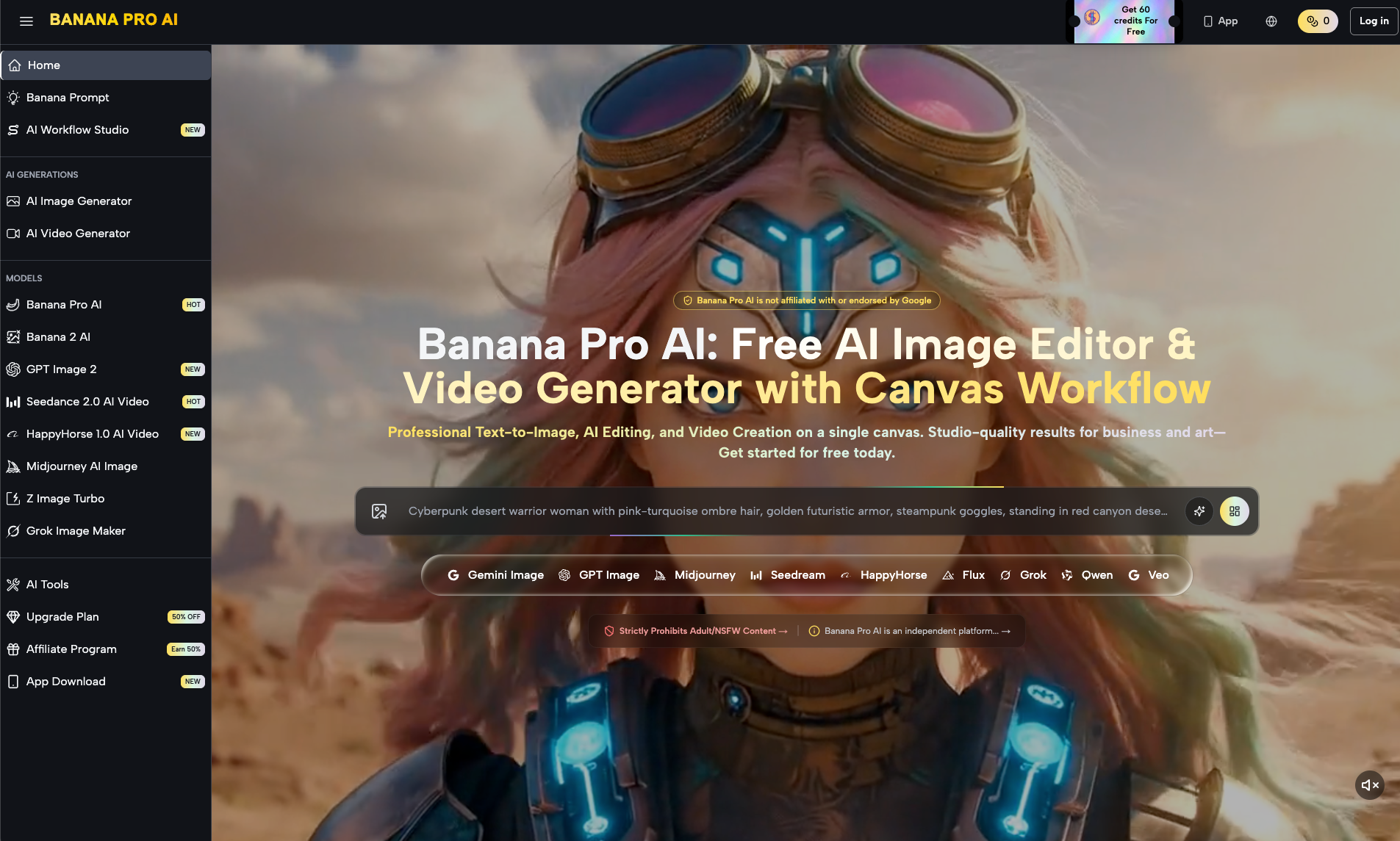
Efficiency in the AI space is currently being redefined by centralized hubs that bypass the manual export-import loop. This is the primary value proposition of the Nano Banana framework. Instead of managing five different subscriptions for Midjourney, GPT Image 2, and various video generators, creators are moving toward “Workflow Studios.”
In this environment, a creator can use GPT Image 2 to brainstorm a concept, switch to Midjourney for a specific aesthetic, and immediately pull those generations into an integrated AI Photo Editor for final touch-ups. Because the Banana AI ecosystem hosts these models under one roof, the prompt history and asset library are persistent. This changes the speed of iteration from minutes to seconds.
For an indie maker managing multiple projects, the benefit of a centralized prompt history cannot be overstated. Being able to look back at the exact parameters used for a project three weeks ago and apply those same “weights” to a new generation is a massive competitive advantage. It moves AI art from the realm of “happy accidents” to the realm of repeatable, professional design.
The Limits of Logic: What We Cannot Safely Conclude
Despite the rapid progress in workflow integration, it is important to reset expectations regarding the current state of the technology. There is a tendency in the AI space to over-promise “perfect” solutions.
First, character consistency across different model families remains an unsolved problem. Even within a unified workflow, a character generated in Gemini 3 Pro will not look identical if you try to replicate it in Midjourney or Grok Image Maker. While tools are getting better at “style locking,” the dream of a 100% stable digital actor that can be moved seamlessly between every model is still an aspirational goal, not a present reality.
Second, the technical uncertainty surrounding “perfect” upscaling and localized editing is real. While an AI Image Editor can perform miracles compared to traditional software, it still struggles with high-frequency textures like complex fabric weaves or distant text. There is often a “smudging” effect that occurs when the AI tries to interpolate missing data, and creators should be wary of any tool that claims to produce flawless, high-resolution edits every time.
Finally, the long-term legal and copyright stability of mixed-model pipelines is a giant question mark. For creators using a blend of closed-source and open-source models through a single interface, the provenance of the final asset can become murky. It is a prudent step for any professional to maintain a degree of skepticism about the “commercial-readiness” of AI assets intended for large-scale trademarking or sensitive intellectual property use.
The smart move for creators isn’t to chase the highest benchmark; it’s to find the path of least resistance. The most powerful AI in the world is useless if it takes you four hours of tab-switching to get the result into your production pipeline. Evaluating a workflow based on continuity, localized control, and cross-modal awareness is how you turn a generative toy into a professional tool.