

The creative lead for a direct-to-consumer beverage brand recently shared a story that has become all too common in performance marketing circles. They had generated a near-perfect 10-second hook using a modern AI Video Generator: a vibrant, high-energy sequence of a person hiking through a sun-drenched canyon, reaching for a cold can. The lighting was cinematic, the physics of the movement were believable, and the pacing matched their brand’s high-tempo aesthetic. There was only one problem. The product in the hiker’s hand was a distorted, unbranded cylinder that looked more like a piece of industrial scrap than a premium energy drink.
In the early days of generative media, the solution would have been to “re-roll” the prompt, hoping the AI would get the product right on the 50th or 100th attempt. But for a team running tight sprint cycles with a fixed budget, that “slot machine” approach is a liability. It introduces too much variance and burns through compute credits without a guaranteed outcome. The solution wasn’t more prompting; it was surgical editing—specifically, regional inpainting.
The High Cost of the Generative Lottery
The core friction in modern AI workflows for performance teams isn’t a lack of creative ideas; it’s the lack of control over the “final 10%.” When 90% of an asset works perfectly—the background, the lighting, the human actor—but the logo or a specific hand gesture fails, discarding the entire generation is a massive waste of resources.
One-shot prompting, while impressive for social media demos, is fundamentally at odds with high-velocity ad testing. Professional creative operations require consistency. If you are A/B testing a creative hook, you need the variables to be controlled. You cannot test the effectiveness of a specific background if the actor’s shirt color or the lighting changes every time you hit “generate.” This is where the industry is shifting from a “creative discovery” mindset, where we wait to be surprised by the AI, to a “production engineering” mindset, where we steer the tool toward a specific, repeatable result.
Regional Logic: The Interface of Control
Inpainting, or regional editing, is the bridge between raw generation and usable commercial assets. In the context of video, this involves masking specific areas of a frame and instructing the AI to modify only those pixels while keeping the surrounding environment locked.
Using an AI Video Generator to maintain temporal consistency is the primary challenge here. Unlike static images, where you can simply paint over a mistake, video requires the “patch” to move realistically over time. If a marketer wants to swap a product variant within a stabilized scene, the AI must understand the lighting of the canyon, the shadows cast by the hiker’s fingers, and the perspective shift as the can moves.
By isolating specific regions, you ensure that a background swap or a product replacement doesn’t unintentionally alter the subject’s physics. This localized approach allows for “variant scaling.” For example, a single high-performing video hook can be regionalized to feature four different product flavors, creating four distinct ads from one core “winning” generation.
Surgical Iteration as a Conversion Strategy
From a commercial standpoint, the value of generative tools is measured by the “cost per usable asset.” If you spend $100 in credits to get one usable 5-second clip, your ROI is squeezed. If you can use regional inpainting to fix three “near-miss” clips, your cost per asset drops significantly.
A common workflow now involves a “stills-to-motion” pipeline. A team might use an image generator to create a perfect, brand-accurate product shot, then use that as the foundation for an AI Video Generator to animate. If the animation introduces a glitch in the product’s label halfway through the clip, the editor doesn’t start over. They mask the label and re-run that specific region.
This is not just about fixing errors; it’s about iterating on performance. If data shows that blue backgrounds convert better for a specific demographic, you don’t need a new shoot. You inpaint the background of your best-performing creative. This level of surgical iteration allows performance marketers to act on data in hours rather than weeks.
Navigating the Limits of Temporal Inpainting
It is important to maintain a level of skepticism regarding how “automated” this process actually is. While the technology has advanced, we are still facing a significant technological ceiling.
One primary limitation is fine-motor movement. While an AI can easily swap a static background or change the color of a stationary object, patching complex interactions—like fingers gripping a curved surface or hair blowing across a face—often results in “micro-jitters.” These artifacts occur because the AI is trying to reconcile the new pixels with the motion vectors of the original video. In many cases, the more precise the edit needs to be, the more likely you are to see “hallucinated” pixels that break the viewer’s immersion.
There is also a clear trade-off between edit precision and render time. Multi-model workflows, where one AI handles the mask and another handles the temporal filling, can be computationally expensive. We cannot yet conclude that AI can “fix everything” in post-production. Some structural failures—such as a character walking with an anatomically impossible gait—are often beyond the help of regional inpainting. In those instances, practical judgment dictates a full re-prompt rather than a futile attempt at a “surgical” fix.
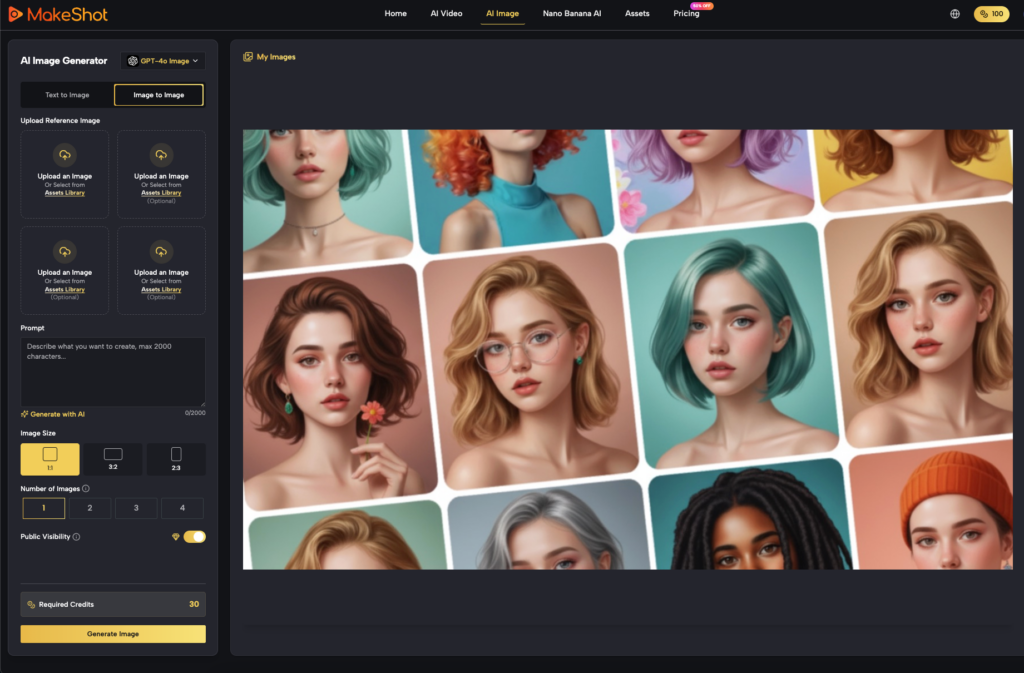
Operationalizing MakeShot in the Production Loop
To handle these complexities effectively, tools need to be unified. This is where the MakeShot platform becomes a functional part of the production loop rather than just a novelty generator. One of the biggest friction points in AI video is moving between different tools—using one for the image, another for the upscale, and a third for the video motion.
MakeShot addresses this by integrating the Nano Banana image refiner directly alongside the video generation tools. In a real-world workflow, a creator might generate a base image, use Nano Banana to ensure the brand’s color accuracy and text clarity are perfect, and then push that refined frame into the video generator.
If the resulting video has a minor artifact, the unified environment allows the user to bounce back to the refinement stage without losing the “seed” or the stylistic consistency of the project. Having access to high-tier logic, like that found in Veo 3 or Sora 2, within a single production environment means the team can choose the right “engine” for the specific iteration. For a background swap, a faster, more efficient model might suffice; for a complex product interaction, a more robust, high-parameter model is required.
The Evolution from Prompting to Directing
The shift we are witnessing is the evolution from “prompting” to “directing.” The first wave of generative AI was about the “magic” of seeing something created from nothing. The second wave, which we are in now, is about the “mastery” of steering those creations toward a specific commercial goal.
For performance marketers, the ROI isn’t in the volume of content generated, but in the precision of the content deployed. A thousand random videos are less valuable than five videos that have been surgically refined to match a brand’s visual identity and optimized for conversion.
Adopting a systems-minded approach to asset management means looking at every AI generation as a “starting point” rather than a final product. By mastering regional changes and inpainting, creative teams can finally move away from the generative lottery and toward a predictable, scalable production pipeline. The future of AI video isn’t just about making things move; it’s about making them move exactly the way the brand needs them to.